How to Use
What is Sweep'EmApp?
Sweep'EmApp is a training and analysis tool specialized in the 'All-in or Fold (AoF)' poker strategy based on GTO (Game Theory Optimal).
This tool provides two main features: 'Training' for practical learning, and 'CheatChart' for detailed Expected Value (EV) analysis.
1. Training Module
A mode that trains your optimal Push / Fold decision-making through drill-based exercises simulating real play situations.
Modes and Difficulty Levels
- 2 MAX / 3 MAX / 4 MAX:
Learn situations based on the number of remaining players at the table. (* 3 MAX and above are Pro/Trial exclusive) - Difficulty Settings:
- Regular: Questions are randomly selected from all spots. Perfect for building a foundation.
- Easy Mode: Only selects spots where the EV difference between actions is 1.0 BB (1000 mBB) or more (spots you absolutely cannot afford to mistake).
- Hard Mode: Carefully selects difficult marginal spots where the EV difference between actions is 1.0 BB (1000 mBB) or less.
- Extra Hard: Only selects extremely severe spots where the EV difference is 0.5 BB (500 mBB) or less, requiring highly precise judgment.
- Challenge Mode (Specific Board Focus):
A special training mode focused on the structure of community cards. (* Pro/Trial exclusive)- Paired Board: When the board is paired.
- Mono Tone / Two Tone: When board cards are the same suit or two suits.
- A High / K High: When strong high cards like A or K are on the board.
Training Flow
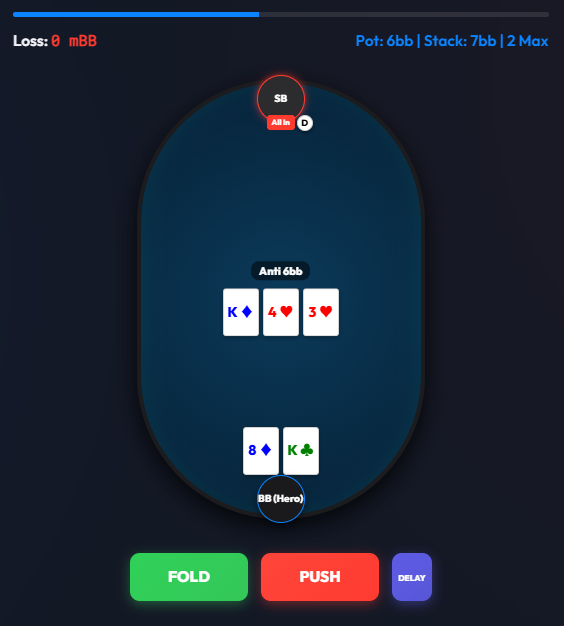
- Situations such as 'Your Hand', 'Position', and 'Community Cards' will be displayed on the screen.
- Select Push (All-in) or Fold within the time limit.
- You will immediately receive feedback on the correct GTO-based action and its EV (Expected Value).
History (Records & Review Feature)
A feature that allows you to review records of past training sessions (last 10) from the dedicated 'History' screen. (* Pro/Trial exclusive)
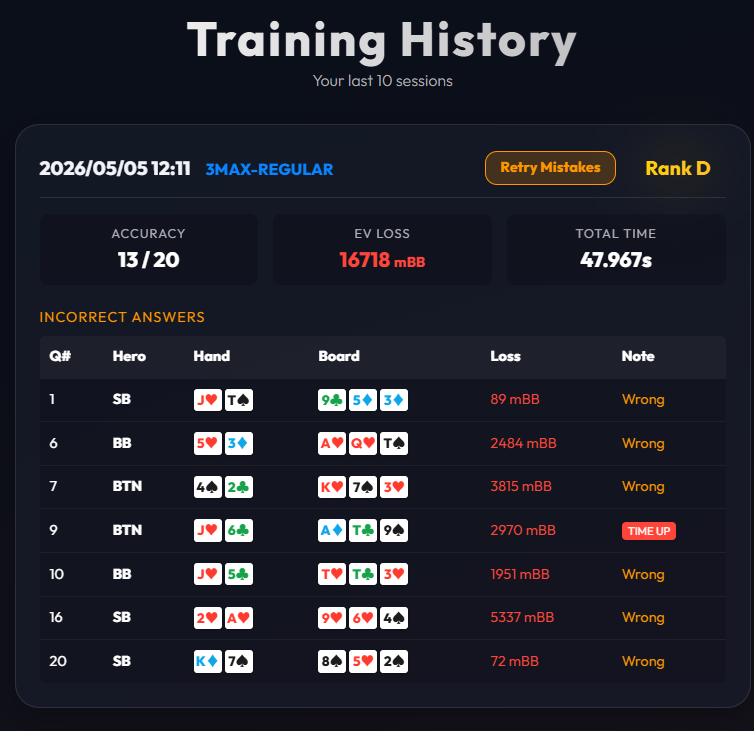
Since questions you got wrong during training are automatically recorded as errors, it is highly useful for self-analyzing the types of boards and hands where you tend to make mistakes, allowing for targeted review and improvement.
2. CheatChart (EV Analysis)
A powerful tool to visually confirm and analyze the 'Expected Value (EV)' and 'Optimal Action Range' for all hands in specific situations. (* Pro/Trial exclusive feature)
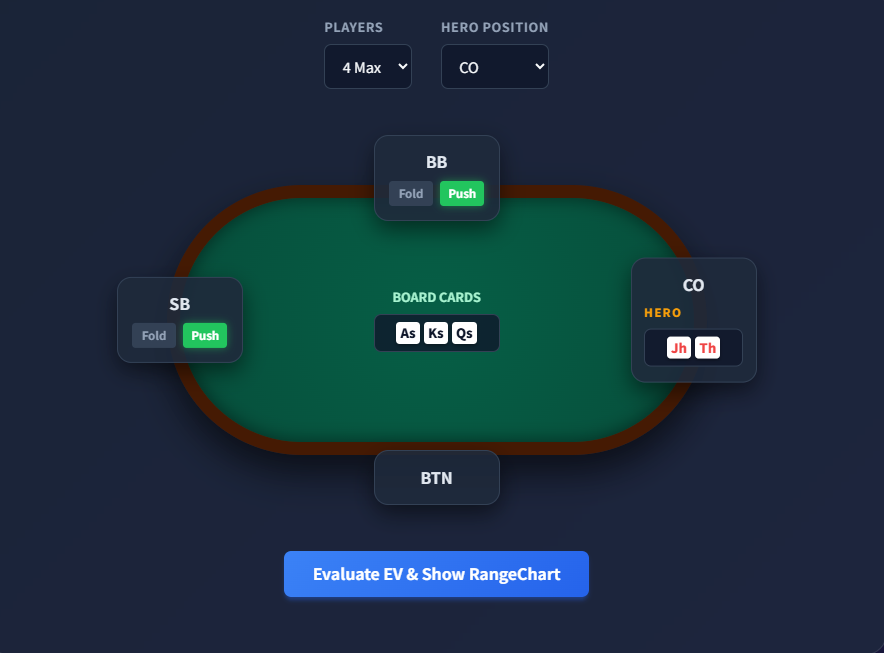
What you can do with CheatChart
- EV (Expected Value) Visualization:
View the EV difference between Pushing and Folding for each hand in a specific situation in a heatmap format. Profit-making and loss-making hands are clear at a glance.
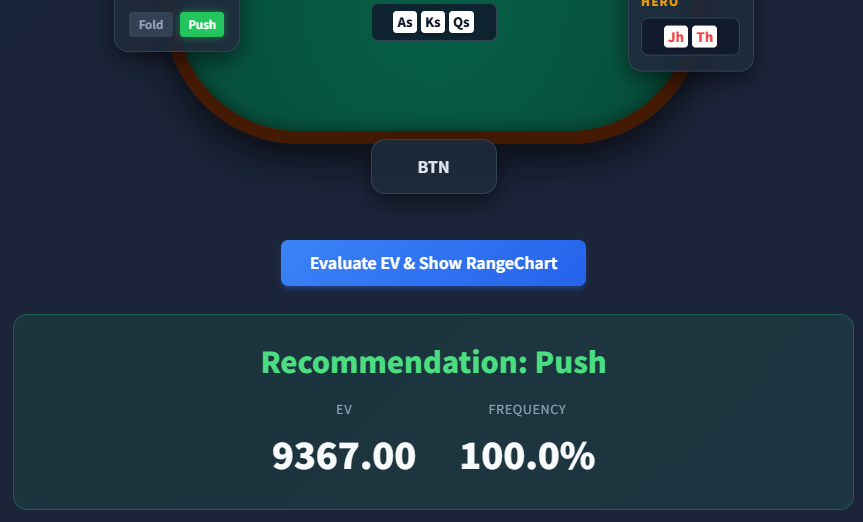
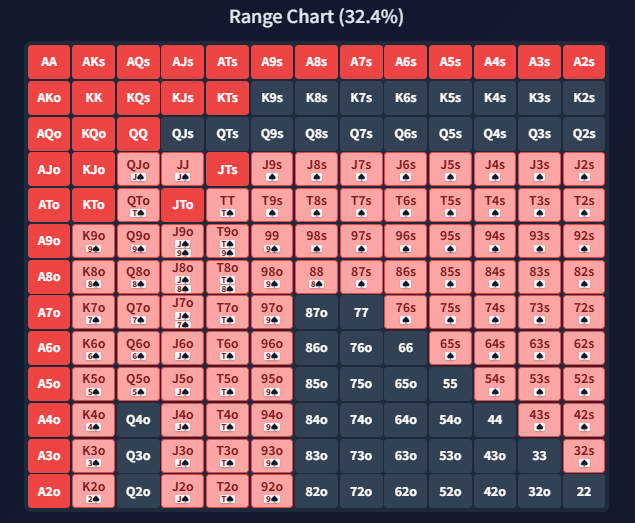
- RangeChart Confirmation:
Gain a bird's-eye view of the entire "range of hands you should Push" recommended by GTO for specific positions and situations via a matrix table.
- Detailed Situation Simulation:
Specify player count, position, board cards, etc. in detail to pinpoint and analyze the optimal GTO solution.
Recommended Usage
Try searching CheatChart for situations you missed in Training mode or spots you were unsure about during real play.
By confirming 'Why should I have pushed?' and 'How much is the profit (or loss) difference?' using EV as a numerical basis, you can elevate intuitive play to logical poker skills.
Note: Some features are limited in the Free version.
To use all Training modes and all CheatChart features, please consider upgrading to a Pro License or utilizing the 2-Hour Trial.